


We may receive a commission on purchases made from links.
The minimalist movement revolves around reducing overconsumption, excess possessions, and distractions. Some people think of it as having less clutter in their lives, which also involves getting rid of unnecessary things. But buying a “minimalist phone,” essentially adding another product to your life, seems counterintuitive to this idea. However, many people look to these phones as a strategic boundary against social media, doomscrolling, and the constant pings from their standard phones.
The idea behind a phone that’s “good for minimalists” is ambitious: It needs to act as a tool that gives you time back, not steal it. Some phones do this by completely nuking any distracting apps and going back to the bare essentials (some ditch app stores entirely), while others are more forgiving but use an E Ink display to make scrolling less addictive. A lot of these phones severely limit internet access, pointing to research that suggests disabling the internet is good for your cognitive health.
We’ve curated a diverse list of minimalist phones here, and as most of them take away a lot of usual features, each comes with its own set of caveats. Switching to these options from your traditional iPhone or Android isn’t easy, but as we’ll explore, that added friction is an intentional design choice in most cases.
The Minimal Phone
The Minimal Phone is an aptly named device, featuring a black-and-white E Ink display, a throwback to Blackberry with its QWERTY keypad, and a retro-minimalist aesthetic. Under the surface, this is an Android phone that lets you access the Google Play Store, so it’s not as restrictive as other minimalist phones. It even supports 15W wireless charging, a fingerprint sensor on the power button, and a headphone jack.
However, the $499.99 Minimal Phone adds just enough friction to remind you that it’s a tool, not an entertainment hub like regular smartphones. An E Ink display doesn’t have a harsh backlight, which makes it easier on the eyes and more comfortable for reading. However, as the E Ink display on the Minimal Phone has a lower refresh rate, it’s bad for watching YouTube or scrolling on TikTok. This is an intentional design choice, forcing you to use your phone less and reduce screen time.
The Minimal Phone also features a customized launcher that simply gives you a text-based list of your apps without the fancy icons on the home screen. It’s a relatively easy phone to switch to because it retains the core functionalities of your existing one. At the same time, it adds just enough hurdles to make you mindful of how you use your phone.
Mudita Kompakt
The Mudita Kompakt wants you to be mindful of online privacy and time spent in front of screens. It’s a thick, one-handed device that features a 4.3-inch E Ink display and a surprisingly durable plastic body with IP54 dust/water resistance. One of the main features here is a physical privacy switch on the side. When turned on, the Kompakt disables GSM, the microphones, Bluetooth, Wi-Fi, and the camera — taking it completely off the grid.
The main experience centers around the 4.3-inch black-and-white display that looks more like paper than a screen. It’s excellent for reading, but as expected, terrible for watching videos. It runs on a custom “de-Googled” version of Android called MuditaOS, which does not have the Play Store. It comes with a handful of preinstalled apps like a calculator, phone, SMS, an E-reader, a camera, and weather. If you really need something like Spotify or WhatsApp, you have to go through the process of sideloading apps.
Pocketlint praised the $439 Kompakt for having stellar battery life in their review. The phone also features an 8MP camera for quick snaps, but you won’t be taking iPhone-like photos anytime soon. Because of the lack of Play Store support and its price, it’s quite a polarizing device. However, it accomplishes what it sets out to do and might be the right choice if you value a guarantee of privacy and silence.
Nokia 2780 Flip
If you really want a pure digital detox, then what better way to go about it than buying a dumb phone? The Nokia 2780 Flip is a $49.99 blast from the past, featuring a classic T9 keyboard, the popular Nokia Snake game, and a tiny 2.7-inch display. However, this feature phone does retain some functionality to make the transition easier when switching from a smartphone. It runs on KaiOS, which features Google Maps, YouTube, a browser, and even an app store. You can use Facebook on this, but it won’t be a good experience because of the slow performance.
If you do switch to a phone like this, keep in mind that the keyboard will take getting used to. You may even go back to the short and functional messages we were forced to write in the past. While KaiOS has some essential apps, you still give up important things like Uber and Apple Pay. The payoff for these inconveniences is great battery life and a boost in presence. Because of the slow browser and low-resolution screen, you’ll find yourself looking at your surroundings more than at your lap.
Ultimately, this likely will not be a permanent replacement for most people. Slack, Uber, and Spotify are just a handful of apps that most people need, and they don’t work on KaiOS. With that said, it’s a fun, cheap experiment that reminds you just how addictive smartphones can be.
Punkt MP02
The Punkt MP02 unapologetically embodies the idea of form over function. This is a stylish phone with a trapezoidal design that sits great in your hand. It weighs just 100g, making it lighter than virtually every smartphone out there. The MP02 feels like a high-end tool, featuring a physical keypad that makes navigation on its tiny 2-inch monochrome screen a tactile experience.
It completely lacks a browser and traditional apps, but features an implementation of Signal Private Messenger (a popular messaging app that focuses on security). As a result, texts and calls on the Punkt MP02 are encrypted, which is a big win for privacy. The phone also has a hotspot feature, meaning you can connect your laptop with 4G tethering when it’s time to do some actual work.
Most of the phones on this list are for a niche audience, but this one is particularly brutal. There are no volume buttons, no camera, no headphone jack, and no way to check your email. It truly is a voice phone, which thankfully does have good call quality. Living with the MP02 is a commitment to simplicity, and you’re truly paying for the design here. At $300, it’s for that very specific person who wants a beautiful, secure communication tool without the distractions.
Google Pixel 9A with GrapheneOS
The Pixel 9A is an overlooked Android phone, but it features a great camera system, clever AI features, and good battery life. Google has launched the Pixel 10A, but because the camera, battery capacity, and chip remain the same, the 9A will be the better bargain for some time. However, Pixel phones have a problem: Because of all the Gemini-related features, these phones have to collect a lot of data from you. GrapheneOS fixes that problem. It’s a custom “de-Googled” version of Android, ironically built for Google Pixel phones.
On the surface, GrapheneOS looks and runs like Android, but beneath that, it heavily restricts Google services. It does this by replacing the standard Android layer with one focused on security. Google apps are treated like any other app, meaning you can easily cut off their access to sensors, contacts, and files entirely. This gives you the power to use the apps you need while ensuring they aren’t reporting your usage patterns back to a server. Also, GrapheneOS won’t nag you with AI suggestions, cloud sync prompts, or targeted notifications.
For a minimalist, this setup is about intentionality rather than restriction. Rather than carrying a restrictive device with a bad camera and limited access to apps, you get an excellent phone with an operating system that values your privacy. GrapheneOS works with just about any Pixel phone out there, but we recommend the 9A because it’s an affordable phone to try out GrapheneOS.
Light Phone III
The Light Phone III is perhaps the most popular minimalist phone out there, mainly because it takes a very aggressive approach to the anti-smartphone idea. This one doesn’t feature an app store, web browser, or even an email app. You’re stuck with the preinstalled “tools,” as the brand calls them. This includes the Phone app, Calendar, Notes, Alarm, Timer, Music, Hotspot, and Directions (a maps app with turn-by-turn navigation). For the Music app, you have to upload your songs from a computer to the Light Phone dashboard, which is something you likely haven’t done in over a decade.
The main appeal of the Light Phone III is its high-end design and feel. It features a black-and-white OLED display, an all-metal body, tactile buttons, and a satisfying knob that you can use to adjust brightness. The OLED display here is a delight to use, and it’s a definite upgrade over the E Ink screens seen on similar minimalist phones. It also has a 50MP camera, and the brand went for the quality and processing of a point-and-shoot camera, which makes it surprisingly usable.
The problem with this phone is the $699 sticker price. You’re nearly paying as much as an iPhone 17, so the value proposition just doesn’t hold up. It’s a lot of money for barebones features, and there are cheaper ways of doing a digital detox.
Boox Palma 2
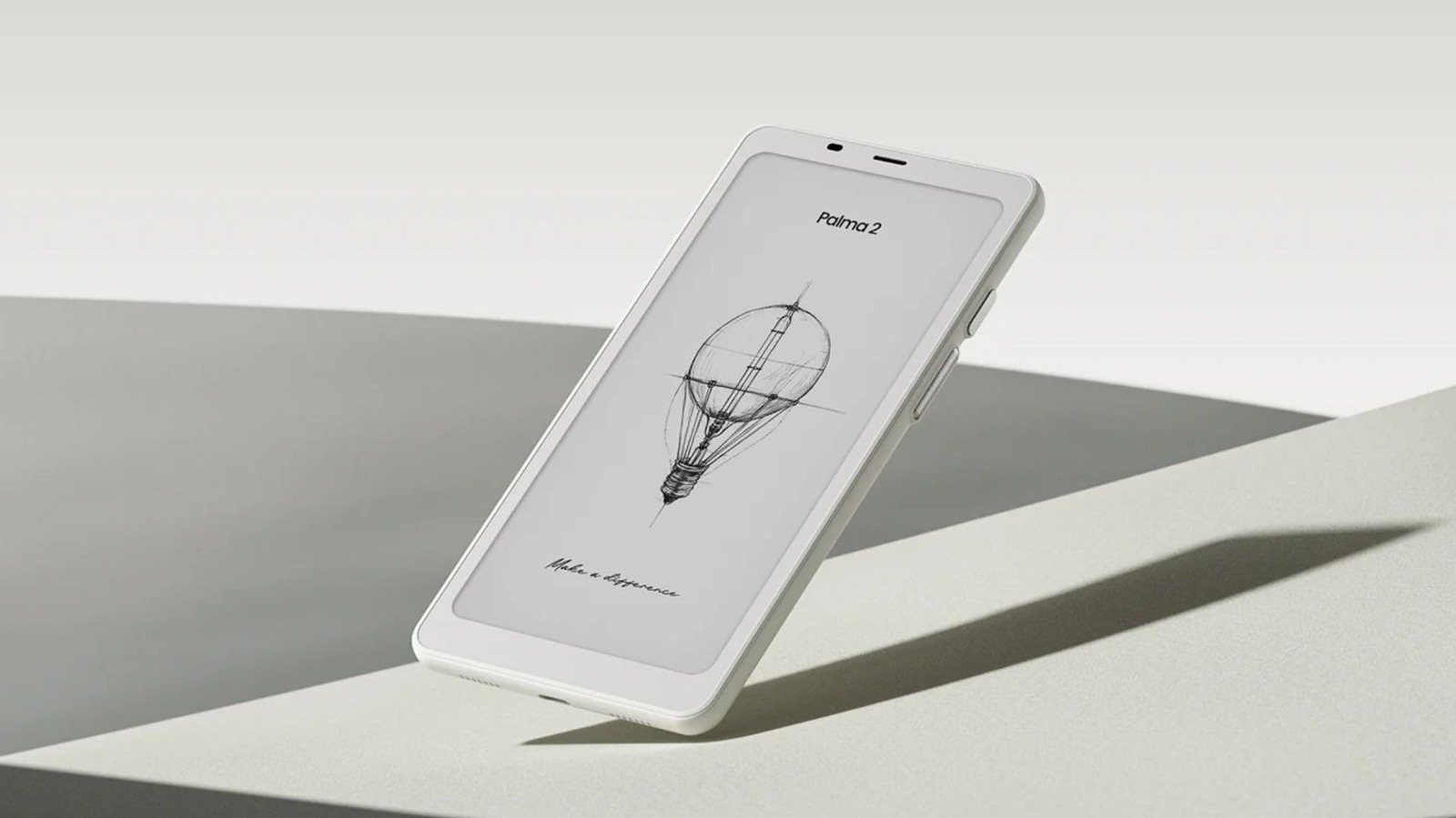
The Boox Palma 2 looks, feels, and runs like an Android phone, but it’s technically just a compact e-reader. There’s no SIM slot on this one, meaning you won’t be able to make calls or use mobile data. However, since it runs Android and gives you full access to the Google Play Store, you can use it as a phone. Just keep in mind that you’ll need to rely on Wi-Fi or a hotspot from another phone when you’re out and about.
The Boox Palma 2 is more for the minimalists who want to read on their phone comfortably. It features an E Ink display that won’t tire your eyes out and lasts much longer than devices with battery-draining LCD or OLED screens. Battery life is also quite decent, lasting up to several days on a full charge. It features a 16MP camera with a flash, but it’s only really good for scanning documents or QR codes.
Due to the lack of a SIM slot, options like the Minimal Phone or Mudita Kompakt will be a more viable smartphone replacement. However, the $300 Boox Palma 2 is a great, pocketable e-reader that can serve as a companion device to your main phone for a quiet afternoon at the coffee shop or while riding the subway. There’s also the $400 Palma 2 Pro, which features a color E Ink display.
Samsung Galaxy Z Flip 7
The Samsung Galaxy Z Flip 7 is quite an intriguing phone, mostly because of its clamshell design. It has two screens, one that serves as the outer cover screen and a taller 6.9-inch main screen on the inside. With this generation of the Flip, Samsung made the cover screen larger, brighter, and added support for a 120Hz refresh rate. This means that the cover screen is much more usable this time around, making this a decent option for avoiding distractions on the main screen.
However, unlike something like the Light Phone III, the Flip 7 will require more willpower to resist social media traps. You can always just flip it open and start doomscrolling, but that extra step does add the tiniest bit of friction. However, when you’re working at a desk, you can just close the phone and rely on the cover screen for important notifications.
It also helps that when closed, the $1,100 Galaxy Z Flip 7 has a very small footprint, making it very easy to carry. Smaller phones with good cameras and performance are rare these days, so this is a welcome feature. Putting the minimalism idea aside, the Flip 7 has great software, solid battery life, and great cameras.
Kyocera DuraXA Equip
The $180 Kyocera DuraXA Equip is a sturdy flip phone for those who care about durability. This phone’s construction consists of hardened plastic, with textured materials around the body for a more secure grip. It has an IP68 water and dust resistance rating, and also features a military durability rating that enables it to withstand shocks, vibration, and extreme temperatures.
The screen isn’t anything special, as it’s a tiny 2.6-inch TFT panel. However, it does have a headphone jack and Type-C charging, both of which are protected by plastic covers. With this reliable, chunky phone, you’ll be able to call, text, check your email, and take some really low-quality pictures with the 5MP camera. The phone also supports Wi-Fi and has a functional (but slow) web browser. It even supports wireless headphones through Bluetooth 4.2.
There’s no app store here, so you’re stuck with the basic pre-installed apps. To use something like Instagram, you’ll have to use the browser, and the slowness that comes from using the keypad for it will eventually push you away. If you’re looking for the exact opposite of a modern smartphone, this is it.
The phone you already have
anatoliy_gleb/Shutterstock
This might sound boring compared to buying a minimalist phone, but your current phone is the most practical tool for a minimalist digital life. For most people, replacing a perfectly functional phone with good cameras and performance with a minimalist phone will come with many tradeoffs. For example, phones with E Ink screens are great for reading, but bad for watching videos. If you ever want to do a video call, the experience will be a bit of a mess because of the low refresh rate. And with more specialized phones like the Light Phone III, both Google and Apple Pay are out of the question.
Instead, you can reclaim your attention without buying new hardware by adding more restrictions on your current phone. You can enable grayscale mode, disable notifications for social media apps, enforce screen-time limits for certain apps, and remove distracting apps from the home screen. If you’re using Android, consider using Niagara, one of the best launchers for minimalism. At the end of the day, minimalism is a mindset, and it doesn’t always have to be supported with a purchase.
Methodology
Minimalist phones, especially the ones with E Ink displays or proprietary operating systems, are much different than your average iPhone or Android phone. Because these phones prioritize focus more than features, they can’t be judged by the same standards as standard phones. For example, I would never recommend a phone with a bad camera, but with some minimalist phones not even having a color screen, the situation is different.
As such, we choose the phones based on real-world usability, specifically looking at how well they handle day-to-day use while intentionally lacking certain features. A lot of these phones on this list use E Ink displays, which are easier on the eyes and great for reading. Some of them still run Android, so installing apps or sideloading them is still possible. Other phones, like the Light Phone III, are more locked-down to enforce a stricter boundary. All the phones on this list have a good in-hand feel, which is important if you’re coming from a relatively recent flagship.
Via: bgr.com

