

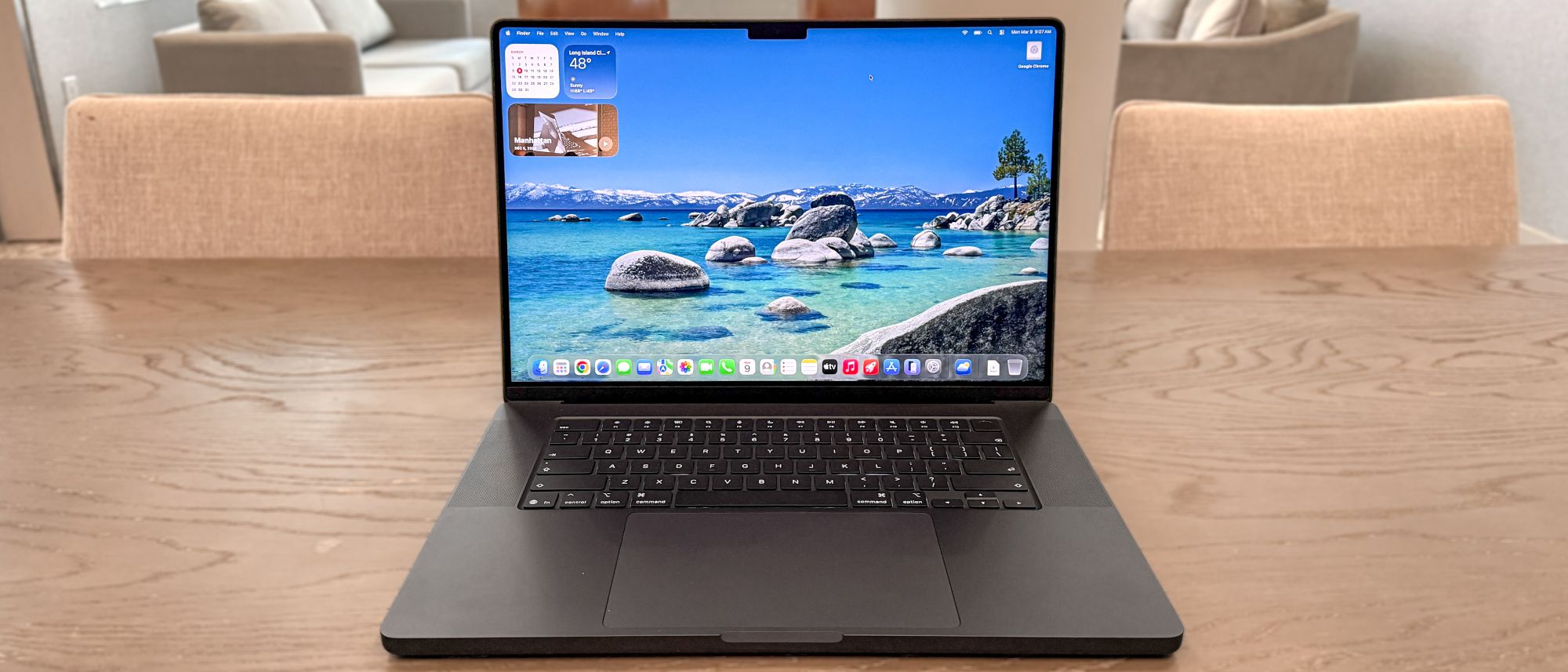
The MacBook Pro 16-inch M5 Pro (starting at $2,699) sits in the middle of the MacBook Pro M5 lineup. This 16-inch laptop packs plenty of punch without costing as much as a model with an M5 Max chip. Even if it’s an iterative update, it’s a solid choice for new MacBook users or those upgrading from older models.
The main draw here is the M5 Pro chip, which delivers more than enough power for heavy video editing and 3D rendering. In addition, it has faster Wi-Fi 7 and Bluetooth connectivity, 1TB of base storage, and various RAM options.
While the 16-inch MacBook Pro with M5 Pro might not be an exciting upgrade, it’s still one of the best MacBooks and best laptops you can buy. Sure, it’s a nominal spec bump that costs $200 more, but there’s no denying it’s great at what it does. Here’s my full review.
MacBook Pro 16-inch M5 Pro review: Cheat sheet
- What is it? The MacBook Pro 16-inch M5 Pro features the new M5 Pro chip, faster wireless connectivity, and over 21 hours of battery life.
- Who is it for? For anyone who needs a powerful 16-inch MacBook Pro that isn’t as expensive as an M5 Max MacBook.
- What does it cost? The MacBook Pro 16-inch M5 Pro starts at $2,699 and is available now on Apple’s website. It costs $200 more than the previous model.
- What do we like? We like the strong M5 Pro performance, the nano-texture display option, the sturdy, utilitarian design, and epic battery life.
- What don’t we like? We don’t like that it costs $200 more and is only a nominal upgrade over last year’s model.
MacBook Pro 16-inch M5 Pro review: Specs
| Header Cell – Column 0 |
MacBook Pro 16-inch M5 Pro (starting) |
MacBook Pro 16-inch M5 Pro (tested) |
|---|---|---|
|
Price |
$2,699 |
$4,299 |
|
Display |
Liquid Retina XDR (3,456 x 2,234) | 120Hz |
Liquid Retina XDR (3,456 x 2,234) | 120Hz |
|
Chip |
M5 Pro (18-core CPU, 20-core GPU) |
M5 Pro (18-core CPU, 20-core GPU) |
|
Memory |
24GB |
64GB |
|
Storage |
1TB |
4TB |
|
Battery life |
24 hours (rated) |
21 hours 10 minutes |
|
Ports |
3x Thunderbolt 5, 1x HDMI, 1x SD card slot, 1x headphone jack, 1x MagSafe charging port |
3x Thunderbolt 5, 1x HDMI, 1x SD card slot, 1x headphone jack, 1x MagSafe charging port |
|
Connectivity |
Wi-Fi 7, Bluetooth 6 |
Wi-Fi 7, Bluetooth 6 |
|
Colors |
Silver, Space Black |
Silver, Space Black |
|
Dimensions |
14.0 x 9.7 x 0.6 inches |
14.0 x 9.7 x 0.6 inches |
|
Weight |
4.7 pounds |
4.7 pounds |
MacBook Pro 16-inch M5 Pro review: The ups
The MacBook Pro 16-inch M5 Pro delivers the good thanks to its strong M5 Pro performance, mind-blowing battery life, eye-peasing display, and sleek design.
Fast M5 Pro performance
Valued at $4,299, the 16-inch MacBook Pro I tested is one of the most powerful MacBooks available. Its Apple M5 Pro chip features 18 CPU cores and 20 GPU cores, coupled with 64GB of Unified Memory (RAM). The M5 Pro chip, like the M4, uses 3nm technology and supports advanced features such as hardware-accelerated ray tracing, mesh shading, and Dynamic Caching.
The MacBook Pro M5 Pro easily handles my typical workload, which often involves more than 30 open browser tabs and streaming YouTube videos. Simple tasks like cropping and resizing images are also quick and smooth. In short, this notebook performs everyday computing tasks without breaking a sweat.
The M5 Pro-equipped 16-inch MacBook Pro delivered excellent results across our various benchmark tests. It obliterated the Samsung Galaxy Book 6 Ultra, which features an Intel Panther Lake processor, in overall CPU performance on Geekbench 6. And as the table below also shows, the M5 Pro maintains an advantage over its predecessor in both single and multi-core performance.
| Header Cell – Column 0 |
MacBook Pro 16-inch M5 Pro |
MacBook Pro 16-inch M4 Pro |
Samsung Galaxy Book 6 Ultra |
|---|---|---|---|
|
Geekbench 6 (single/multi-core) |
4306 / 28586 |
3,910 / 22,822 |
2852 / 16,655 |
|
Handbrake |
1:45 (mins: secs) |
2:38 |
3:14 |
|
PugetBench (PhotoShop) |
15,204 (score) | 7.5 secs (time) |
12,292 | 10.94 secs |
N/A |
In our Handbrake video transcoding test, the M5 Pro-driven 16-inch MacBook Pro transcoded a 4K video to 1080p in 1:45 seconds, which is much faster than the previous model and Samsung’s premium laptop. The new M5 Pro MacBook Pro also outperformed the M4 Pro laptop in our Photoshop test.
| Header Cell – Column 0 |
MacBook Pro 16-inch M5 Pro |
MacBook Pro 16-inch M4 Pro |
Samsung Galaxy Book 6 Ultra |
|---|---|---|---|
|
Assassin’s Creed Shadows |
40 fps |
30 fps |
54 fps |
|
Cyberpunk 2077 |
22 fps |
14 fps |
35 fps |
The 16-inch MacBook Pro M5 Pro can be good for AAA gaming, provided these games are optimized for Apple silicon and you enable the frame-boosting MetalFX feature. As you can see above, Assassin’s Creed Shadows ran at 40 fps at 1200p resolution and medium graphical settings when we ran its in-game benchmarking tool. That’s better than the M4 Pro laptop, but lower than the Galaxy Book 6 Ultra, which packs an Nvidia GeForce RTX 5070 mobile GPU.
Our test results for the graphically demanding Cyberpunk 2077 are rather disappointing. However, if you enable the “For this Mac” setting in the game’s options, the fps jumps to a satisfying 65 fps. That said, enabling DLSS on the Galaxy Book 6 Ultra boosts the frame rate to 111. But this laptop has a discrete GPU, so those results aren’t surprising.
Minimalist design
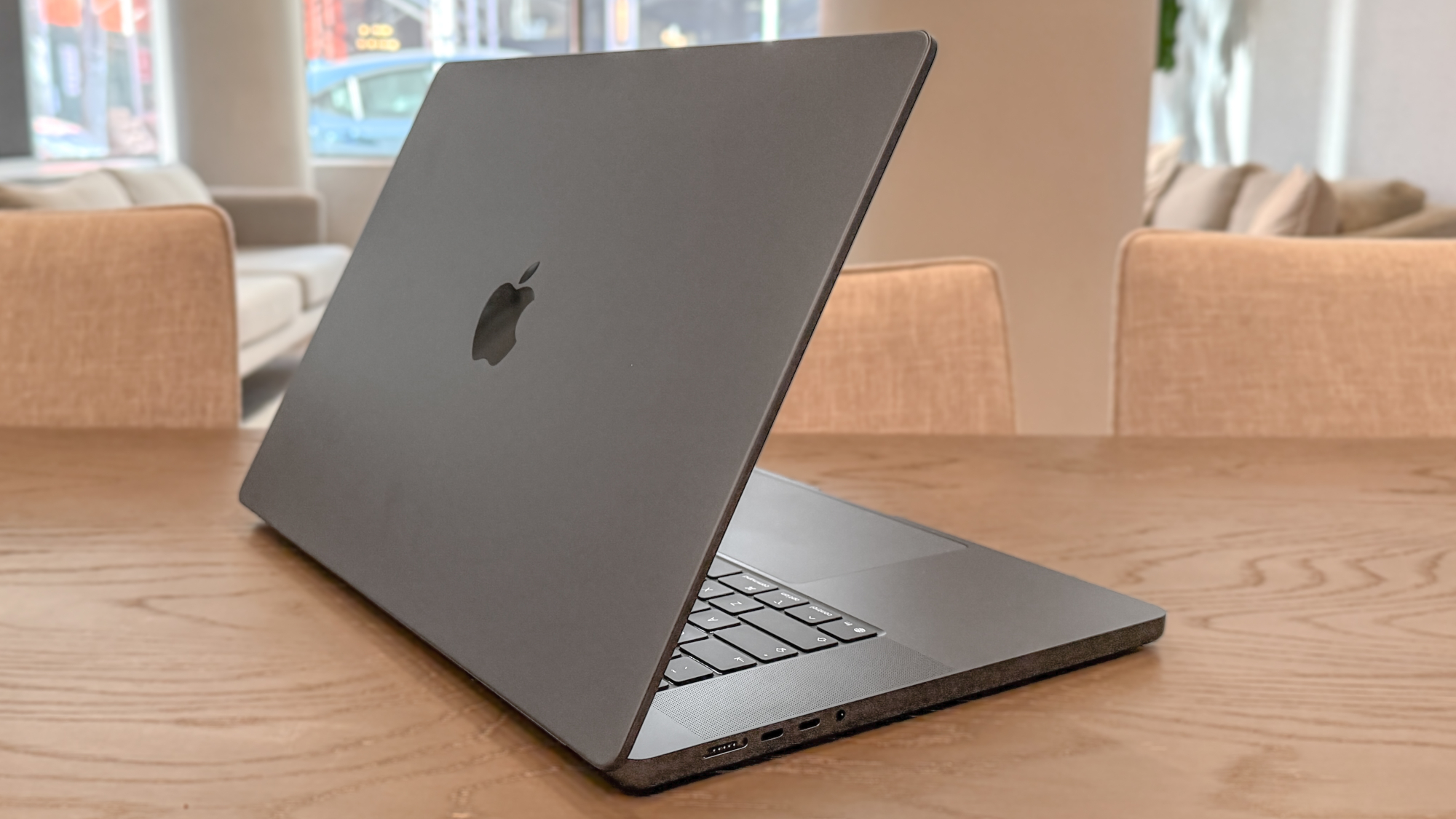
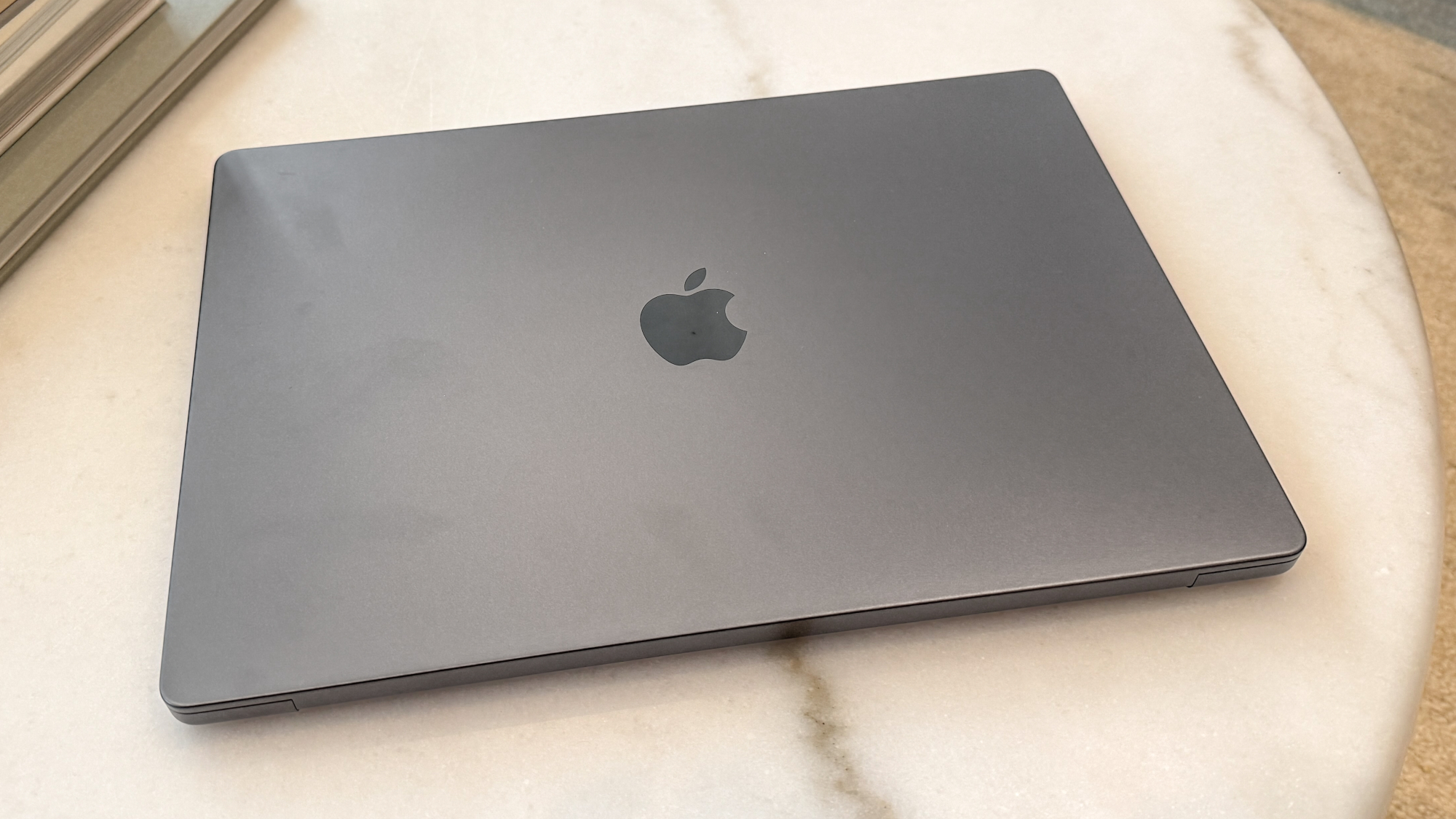
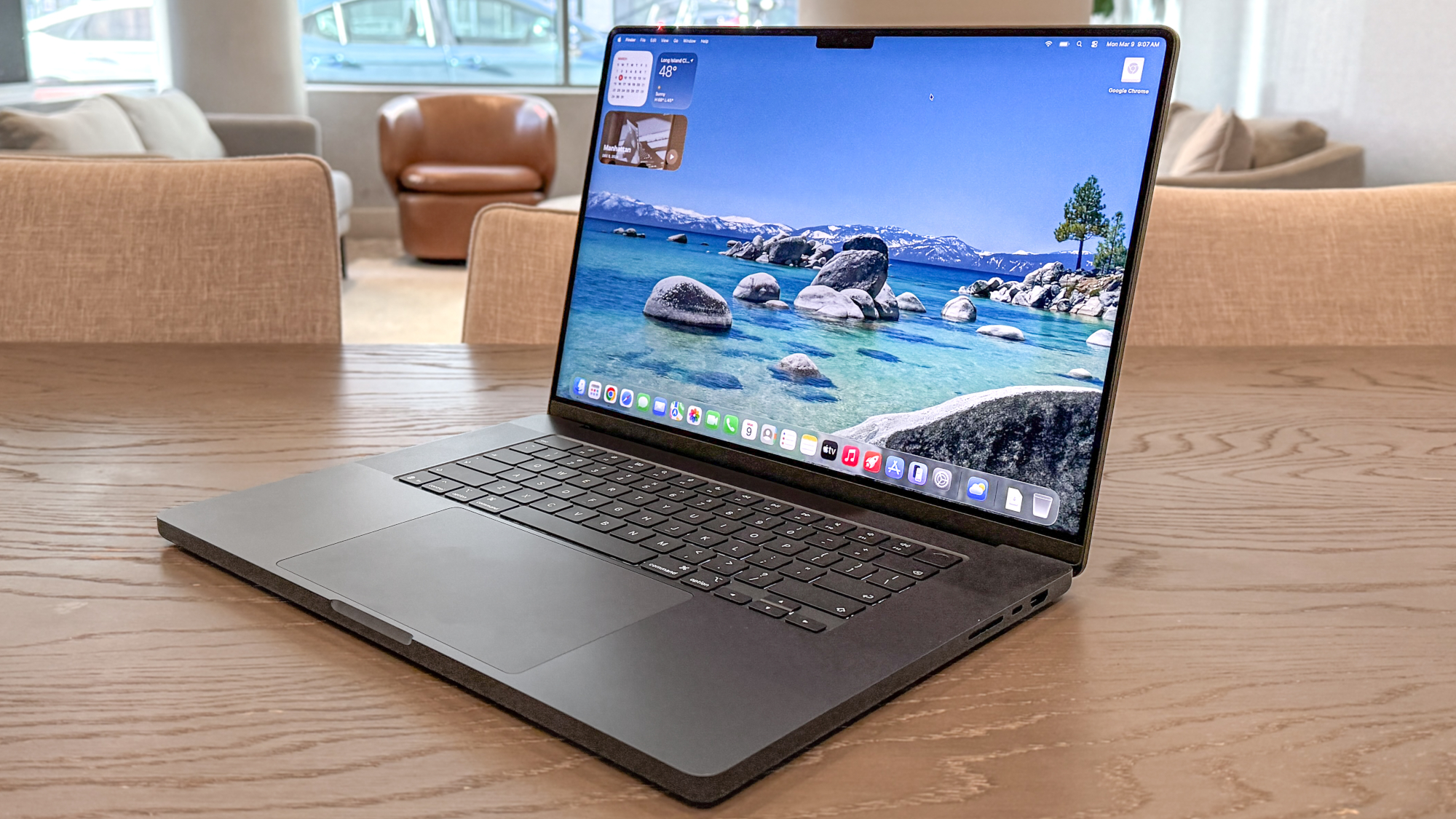
Apple maintained the familiar design of the M5 MacBook Pros, which I appreciate since I’ve always been a fan of modern MacBook aesthetics. The result is a robust and sophisticated chassis crafted from machined aluminum. Furthermore, the Space Black finish on my review model is not only sleek but also relatively fingerprint-resistant.
Despite its size, the MacBook Pro is easy to handle and transport. Measuring 14.01 x 9.77 x 0.66 inches and weighing 4.7 pounds, it’s a big and bulky notebook, yet it slips easily into a backpack for travel. It’s comfortable to carry around, and opening its lid with one hand is easy.
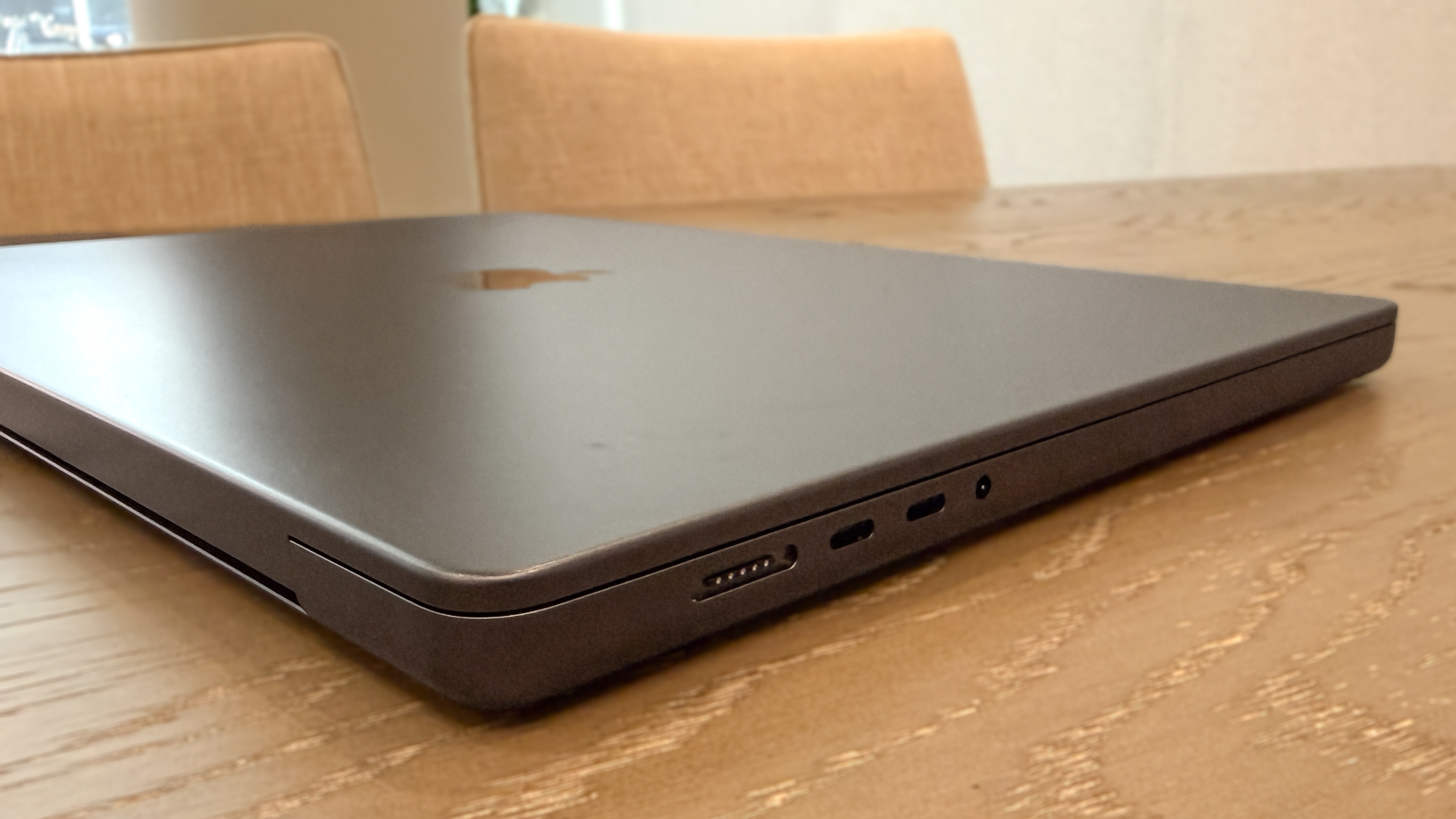
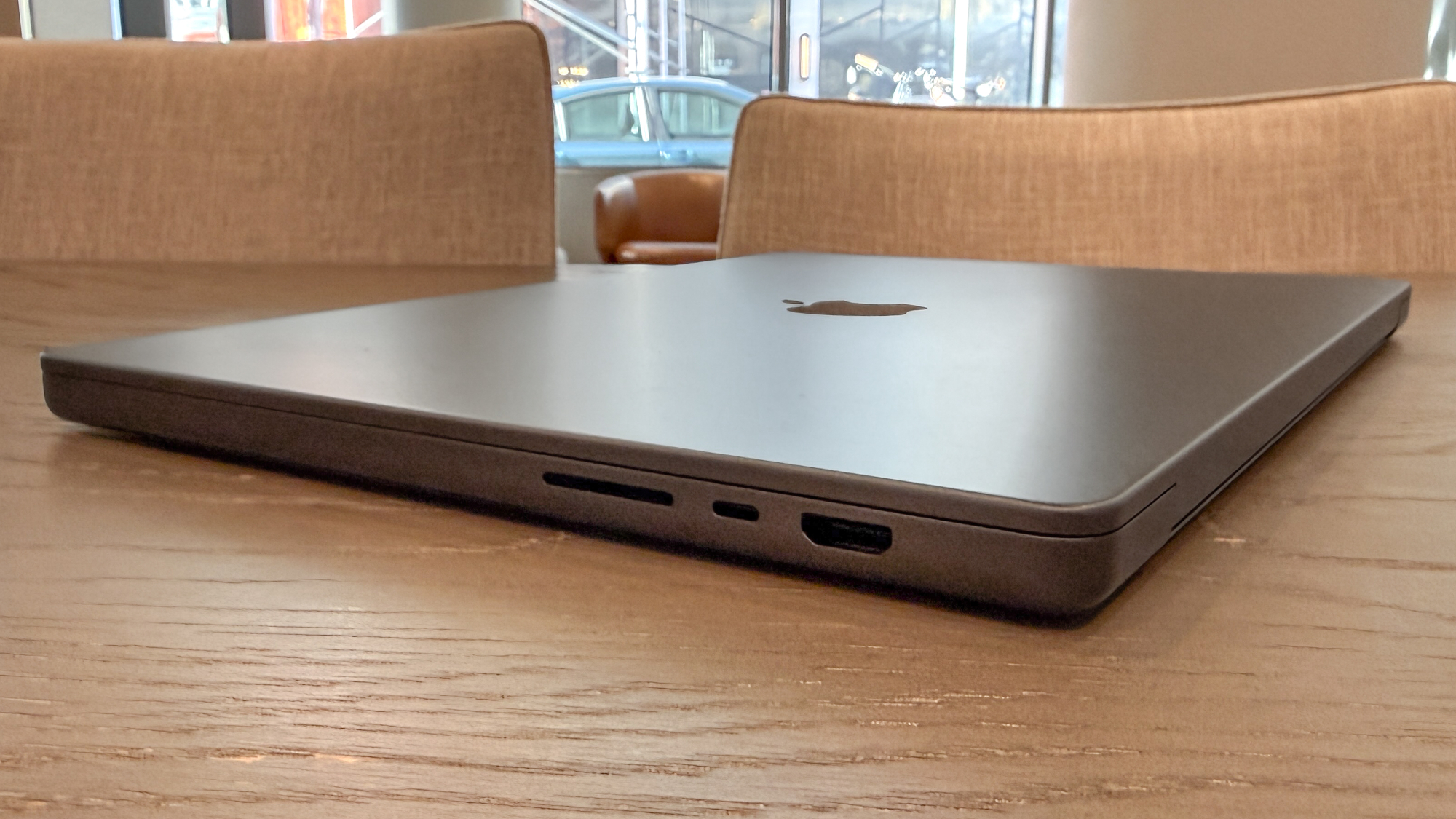
The laptop features a full complement of ports. This includes three Thunderbolt 5/USB-C ports (on M5 Pro and M5 Max configurations), alongside an HDMI port and an SD card slot. For charging, it features a MagSafe port and retains a headphone jack. You get everything you need to make this your main home computer, as it can accommodate many peripherals.
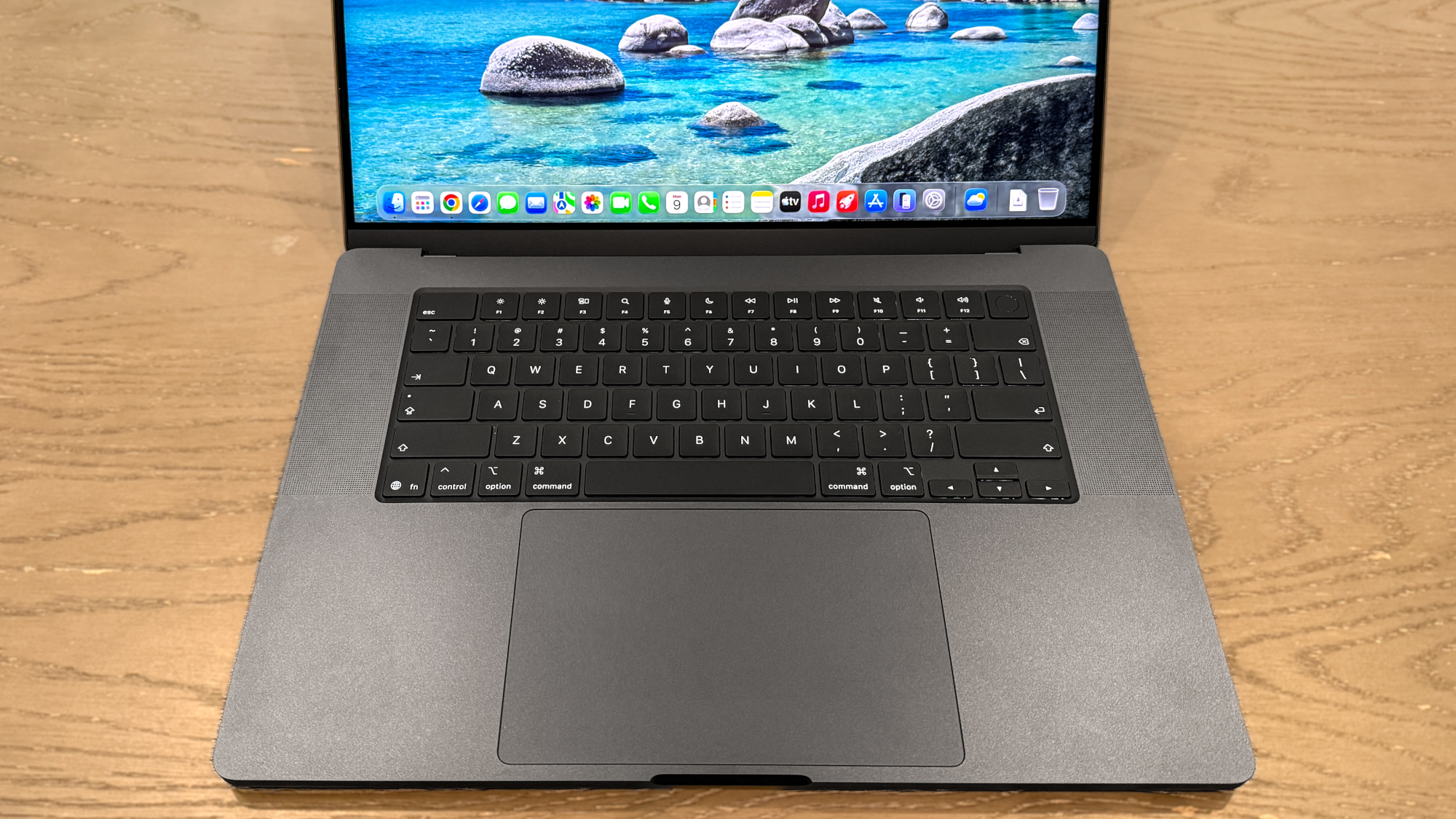
The 16-inch MacBook Pro retains the excellent keyboard of previous models, offering a spacious, enjoyable typing experience. The keys are responsive with good travel and the ideal amount of resistance. Similarly, the large, smooth touchpad is very responsive and delivers satisfying haptic feedback. Another notable feature is the Touch ID button, which makes it easy to log in and bypass password entry on supported websites.
The six-speaker setup, featuring force-cancelling woofers, delivers room-filling sound that is both punchy and bassy. Whether listening to music, such as Kiss’s “Detroit Rock City,” or a podcast like The Rest is History, the audio is superb, even at the highest volume.
Gorgeous display
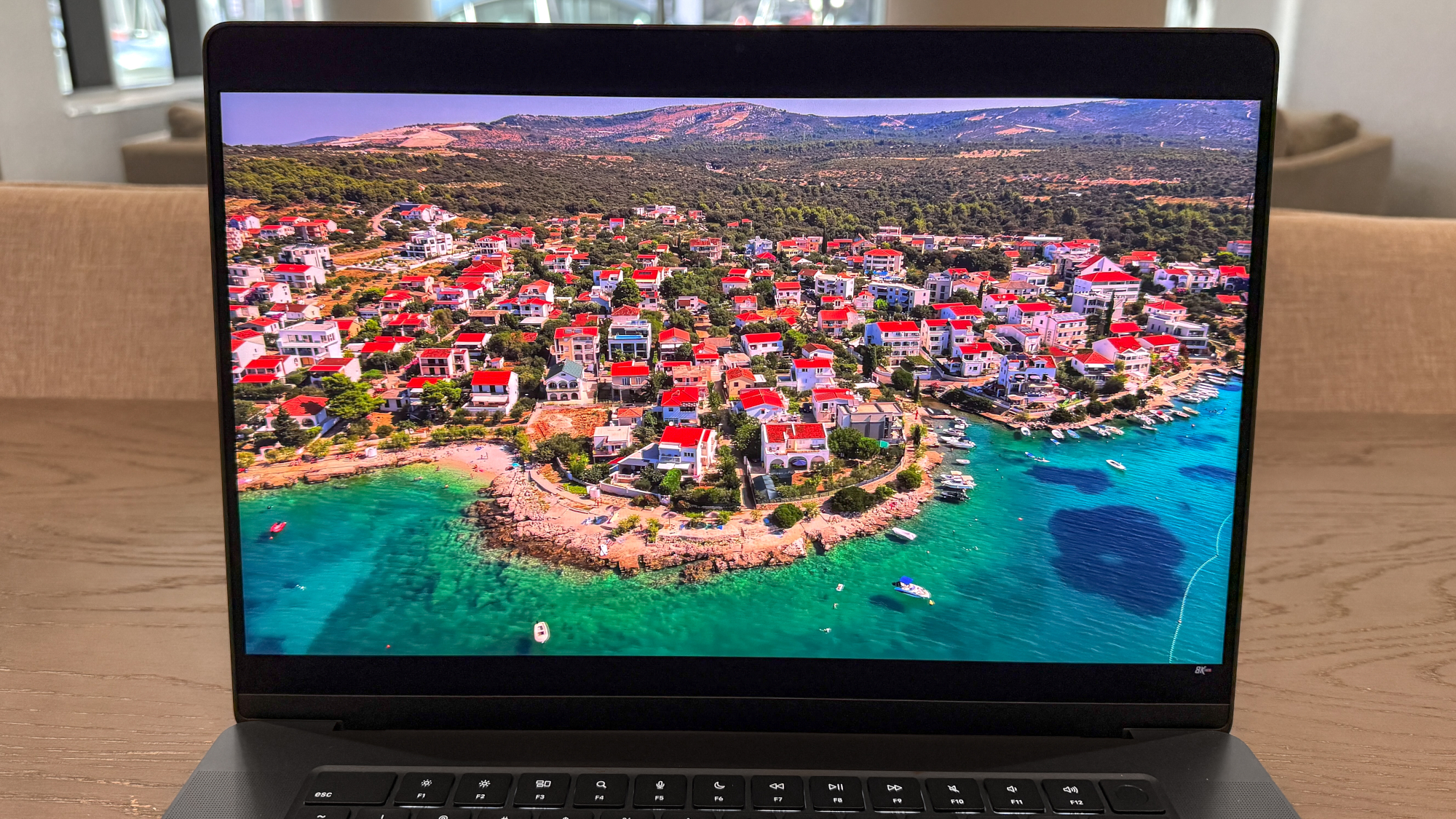
The 16.2-inch Liquid Retina Display (3,456 x 2,234) on the MacBook Pro 16-inch M5 Pro is astounding, much like the one on the previous M4 Pro model. Its bright, colorful screen and smooth 120Hz refresh rate make watching YouTube and Netflix, and playing games, an absolute pleasure. This remains one of the best non-OLED laptop displays out there.
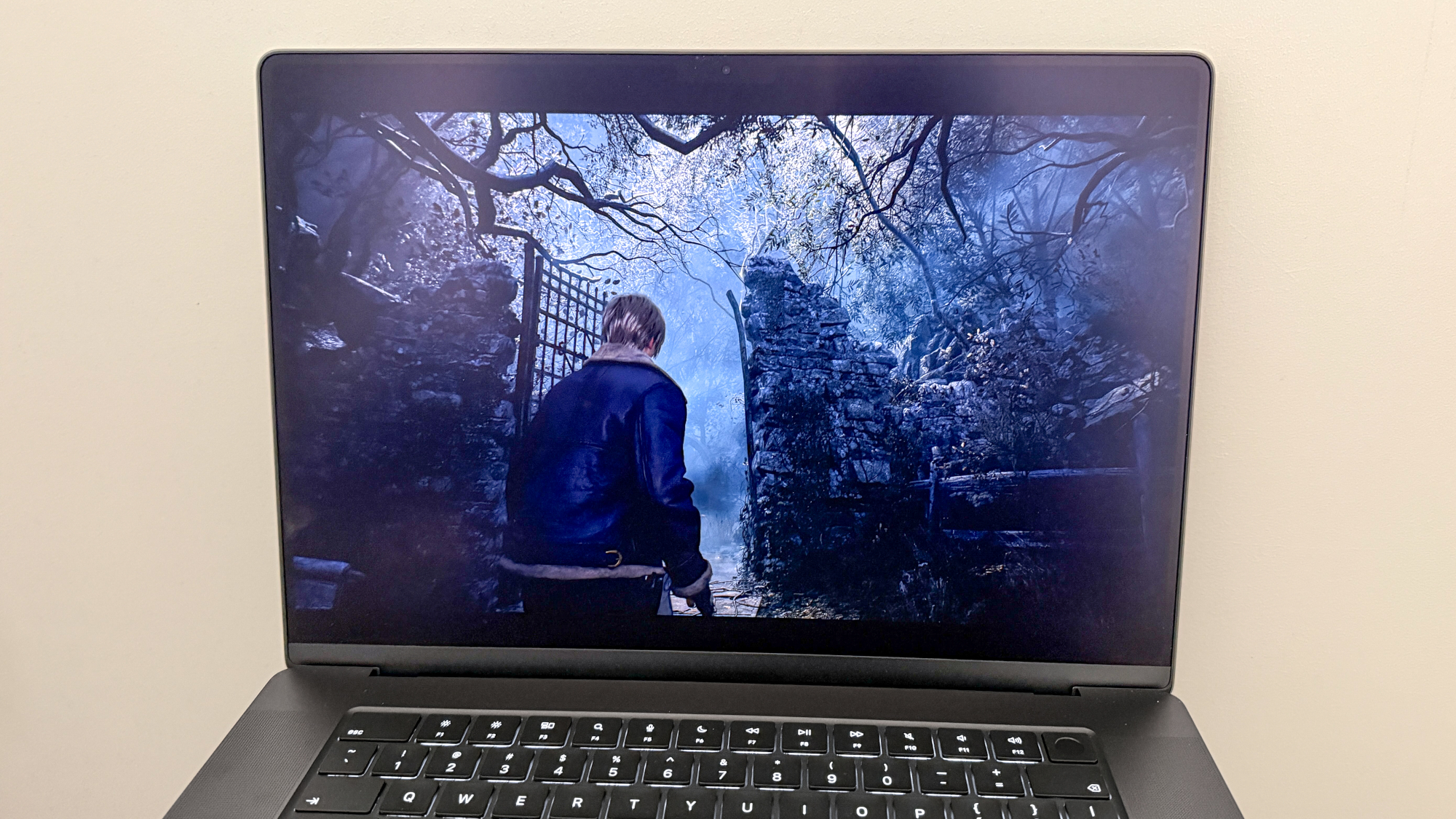
Pardon the pun, but the display truly shines, bringing 4K YouTube videos to life with rich colors—a colorful seaside town, for instance, was striking thanks to HDR. This same clarity also helped me clearly discern all the grim environmental details in the otherwise dark Resident Evil 4 Remake.
| Header Cell – Column 0 |
MacBook Pro 16-inch M5 Pro |
MacBook Pro 16-inch M4 Pro |
Samsung Galaxy Book 6 Ultra |
|---|---|---|---|
|
Nits (brightness) |
540 (SDR) | 1026 (HDR) |
584 (SDR) | 1,116 (HDR) |
451 (SDR) | 564 (HDR) |
|
sRGB |
122.1% |
115% |
121.2% |
|
DCI-P3 |
86.5% |
81.4% |
85.8% |
|
Delta-E |
0.19 |
0.27 |
0.20 |
The 16-inch MacBook Pro M5 Pro’s display performed well in our lab tests. The display reproduced 122.1% of the sRGB color gamut and 86.5% of the more demanding DCI-P3 color space. (For both, 100% indicates the highest accuracy.) Color accuracy is also excellent, with a Delta-E score of 0.19. These results are comparable to both the previous M4 Pro MacBook Pro and the 16-inch Samsung Galaxy Book 6 Ultra.
The new M5 Pro MacBook Pro delivers eye-scorching HDR performance, achieving 1,026 nits of HDR brightness across 100% of the screen. This is lower than the previous model but significantly brighter than the Galaxy Book 6 Ultra, nearly twice as bright.
Like I said in my 14-inch MacBook Pro M5 review, the nano-texture display option is a revelation. Thanks to the anti-reflective screen, the already vibrant colors pop even more, and it’s easy for me to work in brighter environments. It’s an additional $150 to upgrade to nano-texture glass, but it could be worth it if you spend a lot of time outdoors.
The 16.2-inch display on the MacBook Pro M5 Pro features thin bezels, maximizing your viewing area for work or watching your favorite videos. While the centered notch remains at the top of the screen, I almost forget it’s there most of the time, thanks to the display’s large size.
The MacBook Pro M5 Pro can simultaneously support three external displays (up to 6K/60Hz or 4K/144Hz) via its three Thunderbolt 5 ports and an HDMI port. It can also drive one display up to 8K/60Hz, 5K/120Hz, or 4K/240Hz, plus a second display up to 5K/120Hz or 4K/200Hz. HDMI alone offers up to 8K/60Hz or 4K/240Hz. Thunderbolt 5’s native DisplayPort 2.1 enables connecting three displays from a single port via docks or daisy-chaining.
Epic battery life
Apple says the 16-inch MacBook Pro M5 Pro can last up to 24 hours. Given how the previous M4 Pro model lasted 20 hours and 46 minutes in our testing, I expected to be blown away by this laptop’s endurance. I can say I was not disappointed with the results.
|
Time (hours: mins) |
Header Cell – Column 1 |
|---|---|
|
MacBook Pro 16-inch M5 Pro |
21:10 |
|
MacBook Pro 16-inch M4 Pro |
20:46 |
|
Samsung Galaxy Book 6 Ultra |
15:11 |
In our battery test involving continuous web surfing over Wi-Fi with the laptop’s display set to 150 nits of brightness, the M5 Pro MacBook Pro lasted for an astonishing 21 hours and 10 minutes! That’s not the rated 24 hours, but coming up short by 3 hours on that claim is still incredible.
We only had time to run one battery test on this MacBook Pro, instead of our usual three. Because of that, I’ll update this review with the official time, as it could be lower than this first run. But even if the overall time drops by a few minutes, this is still one of the longest-lasting laptops we’ve ever tested at Tom’s Guide.
MacBook Pro 16-inch M5 Pro review: The downs
There’s no denying that the MacBook Pro 16-inch M5 Pro is a fantastic premium laptop for power users. That said, it’s not perfect.
$200 price bump
Whereas the M4 Pro launched at the same price as its predecessor, the M5 Pro model gets a $200 price bump, going from $2,499 to $2,699.
While this is still far more affordable than the $3,899 asking price of the starting M5 Max MacBook Pro (which is also $200 more than the last model), paying extra can hurt. That said, you are getting a laptop that will last you for the better part of a decade, so that’s one way it justifies its cost.
Minimal upgrade over M5 Pro
Don’t expect a major upgrade from the M4 Pro model with this laptop. Generally, we see a 15 to 20% boost in performance and nearly 30 minutes longer battery life. Those boosts aren’t insubstantial, but they don’t warrant an upgrade for existing M4 Pro users.
That said, if you’re rocking a MacBook Pro M3 Pro or older, the latest model is certainly worth considering.
MacBook Pro 16-inch M5 Pro review: Verdict
The MacBook Pro 16-inch M5 Pro is a beast of a laptop for anyone new to Apple or upgrading from older models like the M3 Pro. It’s not a revolutionary leap from the M4 Pro, but that M5 Pro chip delivers serious gains and phenomenal battery life.
As always, you get a gorgeous Liquid Retina XDR display that pops with color and HDR, a full suite of ports for all your peripherals, and a spacious, clicky keyboard, all wrapped in that sleek, utilitarian aluminum design.
If the $2,699 starting price feels too steep or you’re just after a big-screen laptop for lighter tasks, check out the $1,699 14-inch MacBook Pro M5 or the $1,299 15-inch MacBook Air M5 as solid alternatives.
However, if you need a powerhouse MacBook for heavy video editing, 3D rendering, or optimized gaming, I recommend the MacBook Pro 16-inch M5 Pro. It doesn’t reinvent the wheel, but it nails the fundamentals you expect from a premium laptop.

Follow Tom’s Guide on Google News and add us as a preferred source to get our up-to-date news, analysis, and reviews in your feeds.

