

Microsoft, recognizing the importance of security and improved usability of Windows 11, released the important cumulative updates KB5083769 and KB5082052, which apply to versions 25H2, 24H2, and 23H2 of the software. These updates not only address existing vulnerabilities that may expose users to security risks, but also add new features and fix known bugs, greatly improving the average user experience.
These updates are mandatory and include critical security fixes related to vulnerabilities disclosed in recent weeks, ensuring that your computers remain protected and up-to-date. Keep in mind that Microsoft regularly receives feedback from its users and adjusts updates to compete with the ever-changing risks of the digital world.
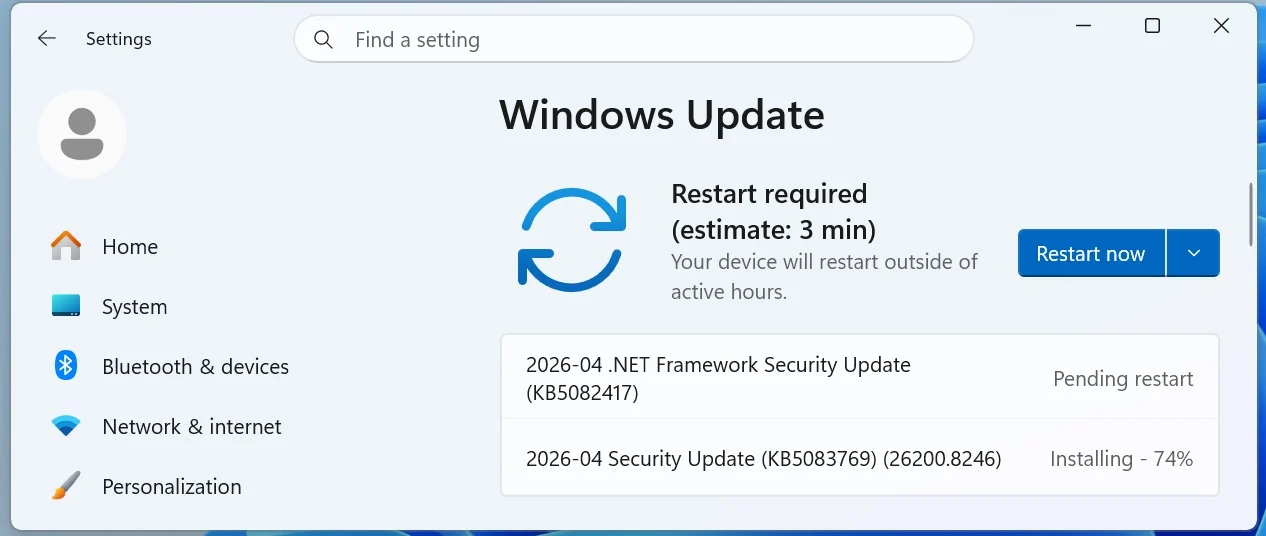
To install today's update, go to Principle > Settings > Windows Update and click "Check for updates".

Alternatively, you can manually download and install the update from the Microsoft Update Catalog.
This fourth “Patch Tuesday” release of 2026, based on 24H2, includes the same fixes for version 25H2. There are no specific changes specific to one version or another.
What's new in the April 2026 Patch Tuesday update
After installing the updates, the version of Windows 11 25H2 (KB5083769) will have a new build number of 26200.8246, while 24H2 will become 26100.8246 and 23H2 (KB5082052) to 22631.6936. These updates introduce many improvements and new features.
Importantly, the ability to modify Smart App Control without the need to reinstall the operating system is available. In addition, problems with the process have been resolved. sfc /scannow, which in the past failed to display correct error messages.
In more detail, below is the list of the main fixes and improvements brought by the update:
-
[Narrator] New! Narrator offers rich image descriptions on PCs that support Copilot+. Now you can use Narrator on all Windows 11 devices by typing Storyteller key + Ctrl + re for description of the focused image or Storyteller key + Ctrl + small for a description of the entire screen.
-
[Smart App Control] New! You can now enable or disable Smart App Control (SAC) without the need for a clean install. Instructions can be found at Settings > Windows security > App and browser control > Smart App Control SettingsFor more details, visit Microsoft's article. here.
-
[Account Settings]
-
New! Microsoft 365 Family subscribers can now upgrade their plan through Settings > AccountsTo remove this option, turn off “Suggested Content” in Settings.
-
New! The update improves the design of dialog boxes in Settings > Accounts > Other users, enhancing the modern look of Windows.
-
-
[Input] New! The pen setting adds improvements to the “Same as Copilot key” option, allowing the user to open the same app as the Copilot key.
-
[Settings]
-
New! The Settings About page has been improved for a more structured layout, making it easier to navigate and access relevant device details, including quick access to storage settings.
-
New! 2 The device information card on the Settings homepage now simplifies the presentation of the device's basic specifications.
-
The update increases the reliability and performance of opening the home page in Settings.
-
The reliability of downloading required updates has also been improved.
-
-
[File Explorer] The File Explorer experience has been improved, allowing for greater reliability in unblocking files and the use of voice typing when renaming files.
-
[Display] Display reliability improvements include the ability to report refresh rates above 1000 Hz and improved HDR reliability for displays with incompatible parameters.
-
[Printing] Support for more stable printer connections and Windows 10, version 1607 and Windows Server 2016 (Build 14393).
-
[Safe mode] Improved reliability of loading taskbar items in safe mode.
-
[Voice Access] This update improves interaction with voice commands.
-
[Start menu] Improve the reliability of the Start menu application via Group Policy.
-
[Remote Desktop] The PowerShell command Set - RDSessionCollectionConfiguration now recognizes DisableSeamlessLanguageBar.
-
[Audio] Improved handling of MIDI dictionaries.
-
[System File Checker] The update removes extraneous error messages when running
sfc /scannow.
Microsoft has not reported any new issues with this update, which shows its commitment to AVG quality and Windows reliability. The ever-evolving world of technology requires adaptation, and Microsoft continues to invest in security and improving the user experience.
You can learn more about Windows quality strategies through official Microsoft blog, where future improvements that are expected to unify the user experience are also mentioned.